
365 Days Of Daily Coding: Day 18
Today’s blog post is rather different. I will not be doing any challenges today but it’s about understanding different ‘JOIN’ types out there. Understanding the workings of ‘JOIN’ types is fundamental to using SQL efficiently.
Firstly, because it’s usage is required frequently if you are required to query database as part of your work. Secondly, also because data is almost always stored in different tables and querying databases from more than one tables requires the knowledge to know which ‘JOIN’ types to use.
Today’s post was inspired by Steve Stedman infographic I stumbled upon in my LinkedIn newsfeed. Check out his site too if you are interested.
This blog posts will include 4 ‘JOIN’ types and the rest 18 ‘JOIN’ types in the other.
Sample Schema
Table 1
| Id | Name | fk | fk_Table3 |
|---|---|---|---|
| 1 | Steve | 1 | NULL |
| 2 | Aaron | 3 | NULL |
| 3 | Mary | 2 | NULL |
| 4 | Fred | 1 | NULL |
| 5 | Anne | 5 | NULL |
| 6 | Beth | 8 | 1 |
| 7 | Johnny | NULL | 1 |
| 8 | Kerry | NULL | 2 |
Table 2
| Id | Favorite Color |
|---|---|
| 1 | Red |
| 2 | Green |
| 3 | Blue |
| 4 | Pink |
| 5 | Purple |
| 6 | Mauve |
| 7 | Orange |
| 8 | Yellow |
| 1 | Indigo |
Table 3
| Id | Data Value |
|---|---|
| 1 | Pizza |
| 2 | Burger |
| 3 | Sushi |
Inorder to test the queries, I ran them in Oracle Live SQL. A temporary table can be created using ‘WITH’ function.
WITH table1 As(
Select 1 As Id, 'Steve' As Name, 1 As fk, NULL As fk_table3
From Dual UNION ALL
Select 2,       'Aron',          3 ,      NULL
From Dual UNION ALL
Select 3,       'Mary',          2,       NULL
From Dual UNION ALL
Select 4,       'Fred',          1,       NULL
From Dual UNION ALL
Select 5,       'Anne',          5,       NULL
From Dual UNION ALL
Select 6,       'Beth',          8,       1
From Dual UNION ALL
Select 7,       'Johnny',        NULL,    1
From Dual UNION ALL
Select 8,       'Kerry',         NULL,    2
From Dual
),
table2 As (
Select 1 As Id, 'Red' As FavoriteColor   From Dual UNION ALL
Select 2,       'Green'                  From Dual UNION ALL
Select 3,       'Blue'                   From Dual UNION ALL
Select 4,       'Pink'                   From Dual UNION ALL
Select 5,       'Purple'                 From Dual UNION ALL
Select 6,       'Mauve'                  From Dual UNION ALL
Select 7,       'Orange'                 From Dual UNION ALL
Select 8,       'Yellow'                 From Dual UNION ALL
Select 1,       'Indigo'                 From Dual
),
table3 As (
Select 1 As Id, 'Pizza' As DataValue From Dual UNION ALL
Select 2,       'Burger'             From Dual UNION ALL
Select 3,       'Sushi'              From Dual
)- Select from two tables
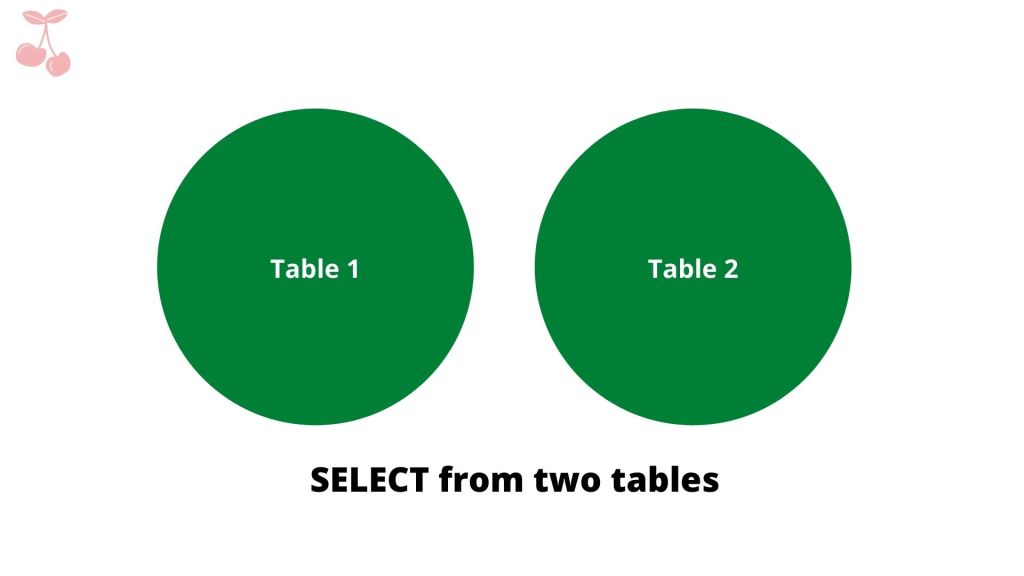
SELECT *
FROM Table1;
SELECT *
FROM Table2;
This is the classic ‘SELECT’ syntax to display all the columns and rows in Table1 and Table2. Please note that each ‘SELECT’ syntax need to be executed separately.
2. INNER JOIN
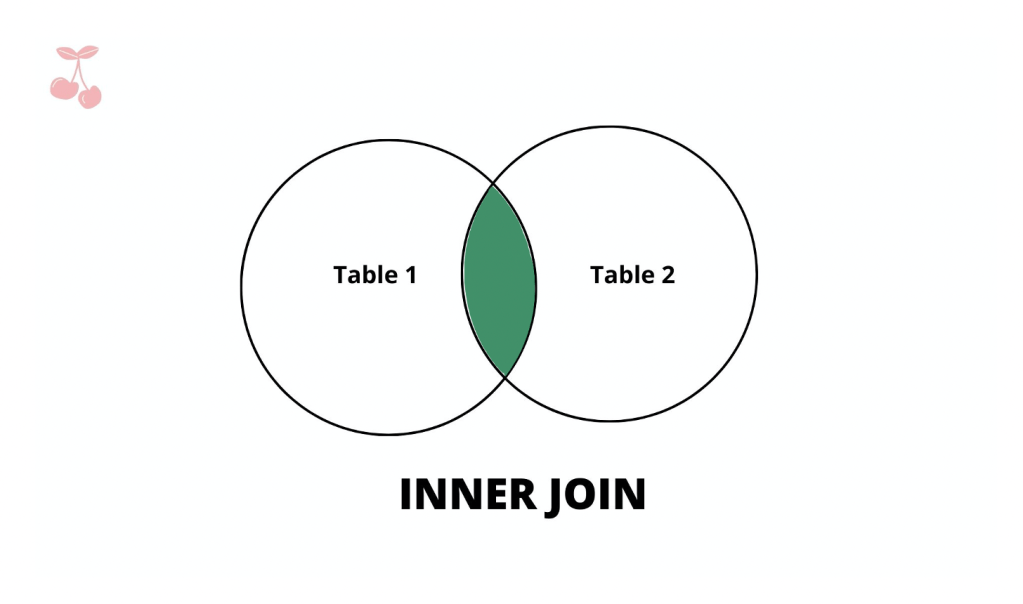
SELECT *
FROM Table1 t1
INNER JOIN Table2 t2
ON t1.fk = t2.id
ORDER BY t1.id;
‘INNER JOIN’ is the default JOIN in Oracle SQL. With this join, all the rows from Table 1 and Table 2 are selected based on the matching values on the common columns.
Output of the above query:
| Id | Name | fk | fk_Table3 | Id | Favorite Color |
|---|---|---|---|---|---|
| 1 | Steve | 1 | – | 1 | Red |
| 1 | Steve | 1 | – | 1 | Indigo |
| 2 | Aron | 3 | – | 3 | Blue |
| 3 | Mary | 2 | – | 2 | Green |
| 4 | Fred | 1 | – | 1 | Red |
| 4 | Fred | 1 | – | 1 | Indigo |
| 5 | Anne | 5 | – | 5 | Purple |
| 6 | Beth | 8 | 1 | 8 | Yellow |
If you compare this with Table 1, you will find Mary’s record missing since the fk id for Mary is missing.
3. LEFT OUTER JOIN
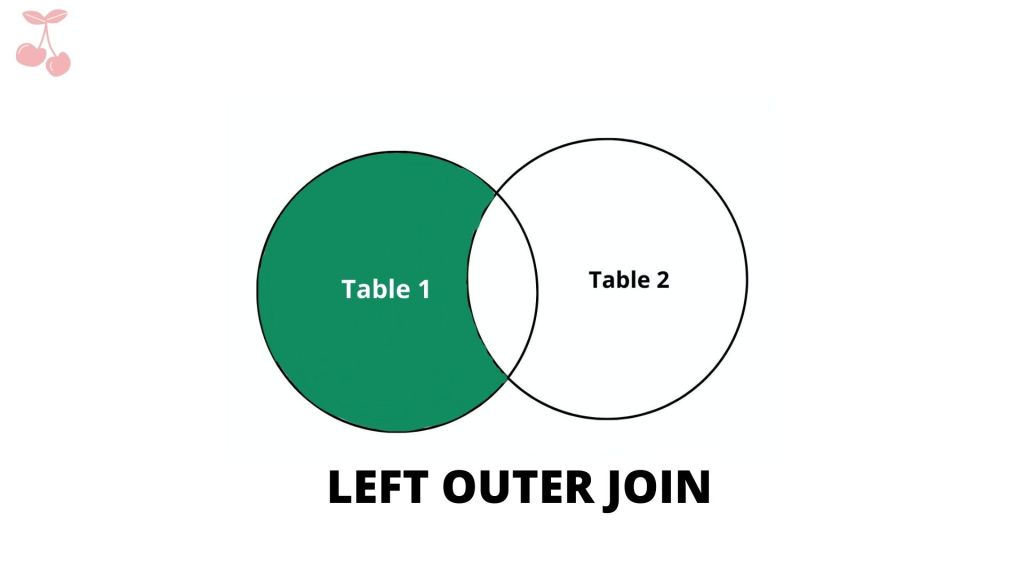
SELECT *
FROM Table1 t1
LEFT OUTER JOIN Table2 t2
ON t1.fk = t2.id;
‘LEFT OUTER JOIN’ selects all the rows from an inner join and also all values in the left table that do not match to the right table.
Output of the above query:
| Id | Name | fk | fk_Table3 | Id | Favorite Color |
|---|---|---|---|---|---|
| 1 | Steve | 1 | – | 1 | Red |
| 1 | Steve | 1 | – | 1 | Indigo |
| 2 | Aaron | 3 | – | 3 | Blue |
| 3 | Mary | 2 | – | 2 | Green |
| 4 | Fred | 1 | – | 1 | Red |
| 4 | Fred | 1 | – | 1 | Indigo |
| 5 | Anne | 5 | – | 5 | Purple |
| 6 | Beth | 8 | 1 | 8 | Yellow |
| 7 | Johnny | – | 1 | – | – |
| 8 | Kerry | – | 2 | – | – |
In the above table, we can see that all the records from the ‘INNER JOIN’ and the record for Mary’s which didn’t have matching id between ‘Table 1’ and ‘Table 2’ were returned.
4. RIGHT OUTER JOIN
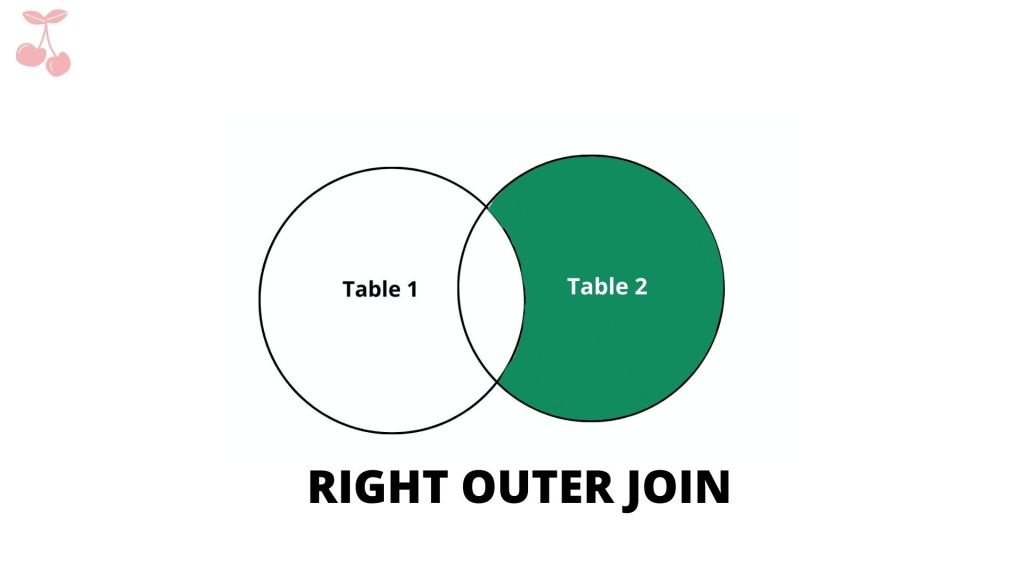
SELECT *
FROM Table1 t1
RIGHT OUTER JOIN Table2 t2
ON t1.fk = t2.id;
‘RIGHT OUTER JOIN’ selects all the rows from an inner join and also all values in the right table that do not match to the left table.
Output of the above query:
| Id | Name | fk | fk_Table3 | Id | Favorite Color |
|---|---|---|---|---|---|
| 1 | Steve | 1 | – | 1 | Red |
| 1 | Steve | 1 | – | 1 | Indigo |
| 2 | Aron | 3 | 1 | 3 | Blue |
| 3 | Mary | 2 | – | 2 | Green |
| 4 | Fred | 1 | 2 | 1 | Red |
| 4 | Fred | 1 | 2 | 1 | Indigo |
| 5 | Anne | 5 | – | 5 | Purple |
| 6 | Beth | 8 | 1 | 8 | Yellow |
| – | – | – | – | 4 | Pink |
| – | – | – | – | 6 | Purple |
| – | – | – | – | 7 | Orange |
In the above table, we can see that all the records from the ‘INNER JOIN’ and the record for Table 2 were returned.


Leave a comment